
Google Docs
Google Maps (Google Earth)

Turns one dimensional images from textbooks into interactive demonstrations where students can see how abstract thoughts and ideas are turned into a tangible learning experience. Furthermore it provides educators with the opportunity to turn their traditionally constrained classroom into a global learning lab.
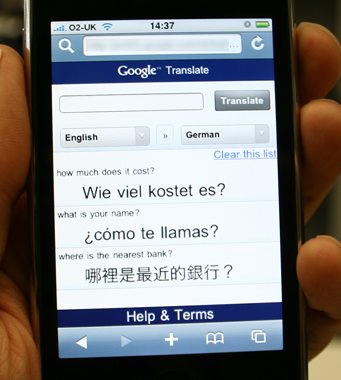 Google Translate
Guides the translation of material from language to language, however it is not 100% accurate and should only be used as a guide.

How can students use this technology for text as well as visual literacy?
Through the process of using visual literacy in the classroom, students can take things which they are reading about in the classroom and transform these topics into an image which they can relate to, remember, and build the foundations of their learning. In other words, one can take something printed in a textbook and develop an image for students in order to give visual representation to the words written in the textbook.
How can students express their visual creativity using Google technology?
The opportunities for visual creativity using Google Technology are endless. Students have the opportunity to transform a thought into an image using google maps, google documents, by searching on google images, and by further exploring the google technologies available. Google technologies have made us more aware of the earth around us and in reality has made the world smaller, allowing us to access information about everything and anything.
What are your overall impressions of TPACK (click to view website) and how does it relate to your teaching/learning principles?

TPACK is a rather simple idea, just explained in the videos in a complex and confusing manner. We agree, however, that all areas of TPACK must be included in an effective classroom in a balanced manner.
Click to view video: TPACK

No comments:
Post a Comment